Guide contents
Automations
Questions that re-run on a schedule and tell you what changed.
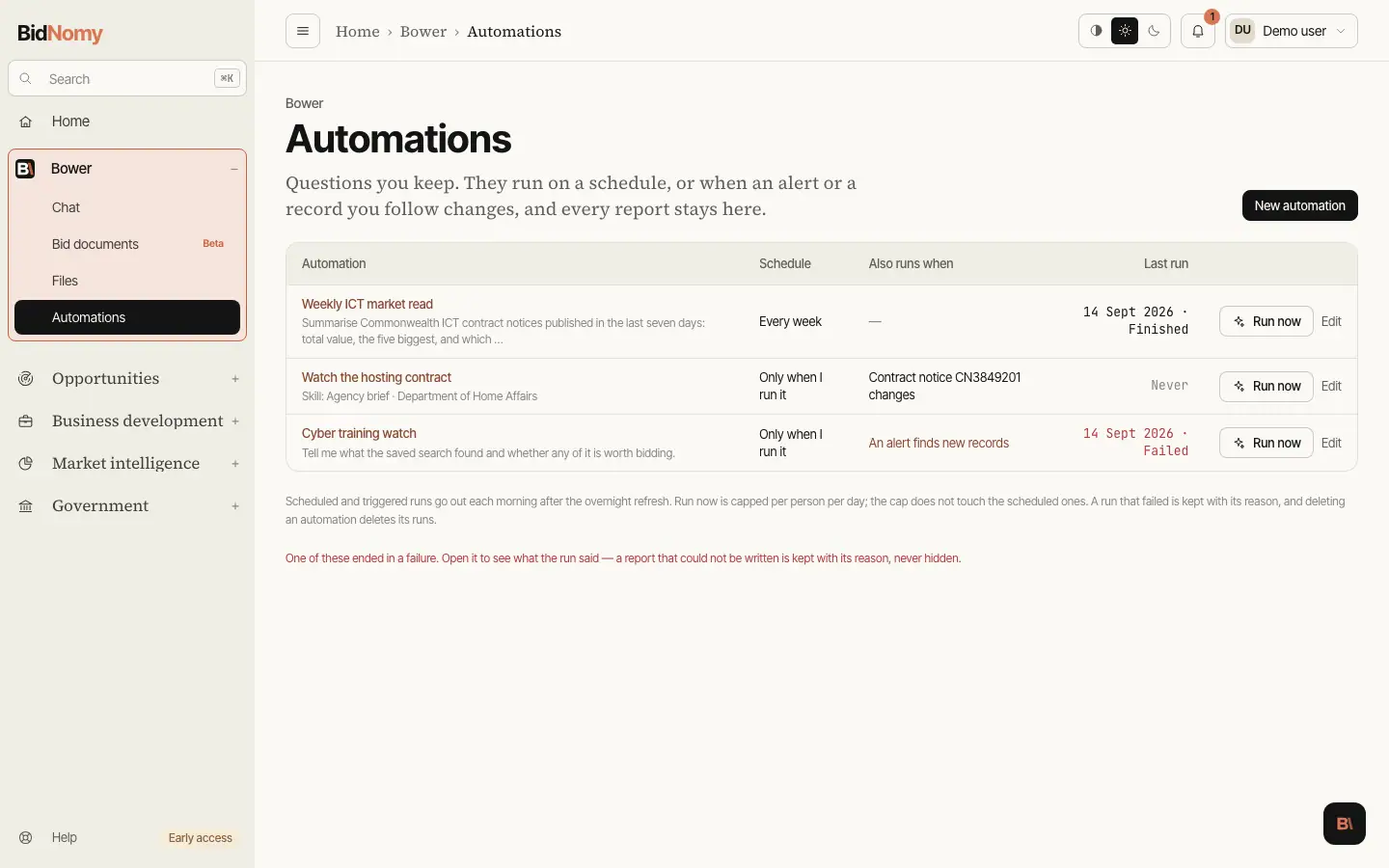
Automations
A question you ask often is worth keeping. Automations are under Bower › Automations: a name, the question itself — typed, or one of the skills with its inputs — and when it should run. Up to fifty per account.
An automation runs for one of four reasons, and the run says which:
- You pressed Run now. The report takes minutes, so the page hands you the run and fills it in as it goes; closing the tab does not stop it. Manual runs are capped at twenty a day for the whole organisation, because each one is real model time.
- Its schedule came round. Daily or weekly, going out each morning after the overnight index refresh — the same slot the alerts use, so an automation reads fresh records.
- An alert it watches found new records. Point an automation at one of your own alerts and it runs on the mornings that alert turns something up, with the count and the query handed to Bower so the report is about what is new rather than the whole list. A morning it finds nothing costs nothing.
- A record it follows changed. Point an automation at a contract notice, an approach to market or a standing offer and it runs when that record moves — a contract varied or extended, an ATM's closing date or status changed, a panel's expiry or its membership. The first check records where the record stands and deliberately runs nothing; from then on the report opens with what moved, before and after.
Triggers are checked once a morning, not continuously. A record that changes at nine is reported the next day.
An automation can have both a schedule and a trigger. It still runs once a morning at most: the trigger wins, because "this changed" is a better subject for a report than "it is Tuesday".
The report
Every run is kept — for good, with what started it, what Bower said and how long it took. Open an automation to see its last fifty runs; open a run to read the report, with record ids linked exactly as they are in a conversation. A run that failed is kept too, with its one-line reason: a missing report you cannot explain is worse than a failure you can.
Tick Email me the report and each finished run arrives as mail with a link back to the run. A send that does not go through never fails the run — the report is on the page either way, and the run says the email did not go.
What it can and cannot do
An automation runs a read-only agent, with no one watching: it cannot ask you a clarifying question, so it states its assumptions in the report instead. It still cannot write anything, email anyone itself or change a record.
The text a trigger hands it — a contract title, a tender description, an alert's own name — is evidence, not instruction, exactly as it is in a conversation. A record whose description tries to give Bower orders is flagged in the report and not obeyed.